Docker Bypasses UFW: The DOCKER-USER Fix for Any Linux VPS
Docker ignores UFW. Published ports hit FORWARD, not INPUT. Add a DOCKER-USER drop rule so UFW actually closes the port.
On this page
Introduction
You locked down the VPS. UFW default-deny. SSH on the Tailscale interface only. Cloudflare Tunnels in front of anything public. The firewall says Status: active, and you ran nmap against your public IP and saw nothing.
Then a peer on the same internal subnet ran nmap against you and got back 6333/tcp open, 5678/tcp open, and a live Qdrant instance with no auth.
Docker bypasses UFW. It is the most common gap in self-hosted Linux deployments, and almost every “secure your VPS” guide skips it.
- Broad compatibility: It works on Oracle Cloud,1 AWS Lightsail, Hetzner, DigitalOcean, and any other VPS
- Documented behavior: It is not a UFW bug, it is documented Docker behavior
- Ordering is load-bearing: The fix is the
DOCKER-USERchain, and the rule order is load-bearing
This post is the missing chapter in the Oracle Cloud + Tailscale + PicoClaw setup. It closes the gap that guide left open, and it works for any Linux VPS running Docker with UFW.
Prerequisites
- A Linux VPS running Ubuntu (Oracle Cloud, AWS Lightsail, Hetzner, DigitalOcean, or any other)
- Docker installed and running
- UFW installed and active (
sudo ufw statusshowsStatus: active) - Tailscale installed and authenticated on both the server and your local machine
Step 1 - Why Docker Bypasses UFW
The leak is not theoretical. Most cloud providers ship a default security list or network ACL that opens TCP 22 to 0.0.0.0/0 and leaves everything else unrestricted on egress. If you run a single docker run -p command without the DOCKER-USER fix, the published port is reachable from:
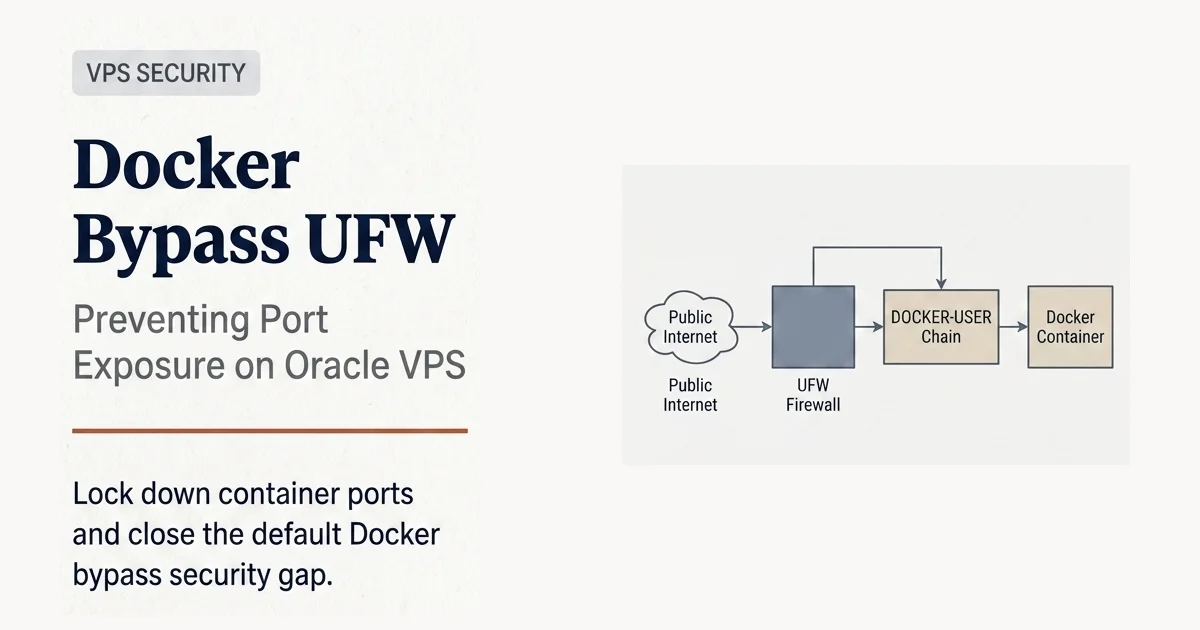
Docker bypasses UFW rules, exposing your container ports directly to the public network. That is the core behavior to understand.
- The public internet, if your security list or load balancer allows it
- Every other instance in the same VPC through the internal subnet, which is the most common exposure path
- Any cloud service that shares the VPC
I verified the internal-subnet leak on three production VPSes running Qdrant, n8n, Gitea, and Coolify. Before the fix, a single nc -vz from any peer VPS exposed every published port on every other VPS. After the fix, the same probe timed out at the DOCKER-USER chain.
The attack surface is not small. A Qdrant cluster with no auth and a collection of internal documents is a one-line curl away from a full dump. n8n with default credentials gives an attacker a remote workflow execution environment. Gitea exposes source code, CI tokens, and the full git history.
This is the gap between “I followed the UFW tutorial” and “I am actually secure.”
How Docker does it
Docker does not care about the INPUT chain. Per the Docker networking docs(opens in a new tab), it manages its own iptables chains to coordinate container communication. When you run docker run -p 6333:6333 qdrant/qdrant, Docker inserts two rules:
- A
DNATrule inPREROUTINGthat rewrites the destination of incoming traffic on port 6333 to the container’s bridge IP - An
ACCEPTrule in theDOCKERchain (which sits inFORWARD) that lets the rewritten packet through
The packet flow for an inbound connection to a published port:
Public Internet
  → PREROUTING (DNAT to 172.19.0.2:6333)
  → FORWARD
    → DOCKER-USER (empty by default — packets pass)
    → DOCKER (ACCEPT — packets pass)
  → Container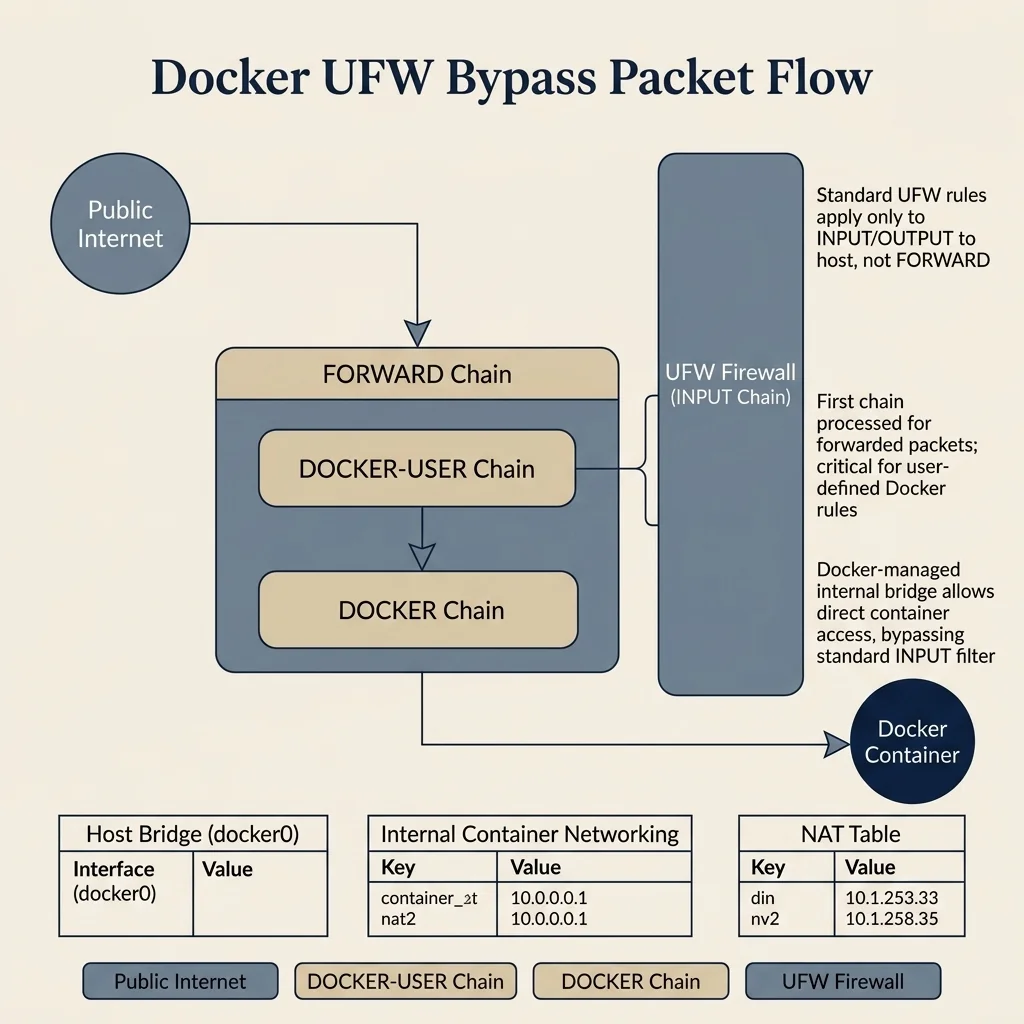
The INPUT chain never sees this traffic. UFW is irrelevant.
You can confirm the leak on any VPS right now. If you publish a container port and have another host on the same internal subnet, the test is:
# From the same VPS:
ss -tlnp | grep 6333
# 0.0.0.0:6333  — listening on every interface

# From a peer on the same internal subnet:
nc -vz YOUR_INTERNAL_IP 6333
# succeeded! — UFW never saw the packet
Step 2 - The DOCKER-USER Fix
Docker reserves one chain for the host administrator: DOCKER-USER. Anything you put there is evaluated before Docker’s own rules. The fix is a small chain with one critical ordering rule.
Step 2.1 - The 5-rule chain
# Flush the chain first
sudo iptables -F DOCKER-USER

# 1. Tailscale traffic — always allow
sudo iptables -I DOCKER-USER 1 -i tailscale0 -j RETURN

# 2-3. Public NIC (enp0s6) NEW connections — drop
#     This is what blocks the Docker-bypasses-UFW leak.
sudo iptables -I DOCKER-USER 2 -i enp0s6 -m conntrack --ctstate INVALID -j DROP
sudo iptables -I DOCKER-USER 3 -i enp0s6 -m conntrack --ctstate NEW -j DROP

# 4. Public NIC RETURN traffic for existing connections — allow
#     Without this, every outbound from a container (apt update, cloudflared,
#     npm install) silently times out because responses from the internet
#     come back on enp0s6 and get dropped.
sudo iptables -I DOCKER-USER 4 -i enp0s6 -m conntrack --ctstate RELATED,ESTABLISHED -j RETURN

# Verify
sudo iptables -L DOCKER-USER -n -v --line-numbers
The Tailscale RETURN rule short-circuits the chain for private mesh traffic, so your laptop can still reach Qdrant, n8n, or Gitea over Tailscale. The enp0s6 NEW rule blocks new inbound from the public interface. The enp0s6 RELATED,ESTABLISHED rule allows return traffic for connections your containers initiated, so they can actually talk to the internet.
enp0s6 is the public interface name on Oracle Cloud. On other providers it is usually eth0 or ens3. Check with ip route show default and substitute the actual name.
After running it, re-test from the peer:
nc -vz YOUR_INTERNAL_IP 6333
# timeout — packet dropped at DOCKER-USER
Stale SSH rule cleanup
When UFW is removed or reinstalled, an ACCEPT rule for port 22 in the INPUT chain sometimes survives. That rule accepts SSH on every interface, including the public one. Remove it:
sudo iptables -L INPUT -n --line-numbers | grep "dpt:22" | grep -v tailscale0
# If any line shows up, delete it by position:
sudo iptables -D INPUT <line_number>
Step 3 - Make It Survive Reboot
Iptables rules live in kernel memory. They do not persist across reboots. The standard fix is iptables-persistent, but on Ubuntu it conflicts with UFW (install one, the other gets removed). The clean alternative is a systemd oneshot service that reapplies the rules after Docker starts.
Create /etc/systemd/system/docker-ufw-fix.service:
[Unit]
Description=Apply DOCKER-USER firewall rules, fix SSH interface binding, and re-add MASQUERADE for user-defined Docker networks
After=docker.service network.target
Requires=docker.service

[Service]
Type=oneshot
ExecStart=/sbin/iptables -F DOCKER-USER
ExecStart=/sbin/iptables -I DOCKER-USER 1 -i tailscale0 -j RETURN
ExecStart=/sbin/iptables -I DOCKER-USER 2 -i enp0s6 -m conntrack --ctstate INVALID -j DROP
ExecStart=/sbin/iptables -I DOCKER-USER 3 -i enp0s6 -m conntrack --ctstate NEW -j DROP
ExecStart=/sbin/iptables -I DOCKER-USER 4 -i enp0s6 -m conntrack --ctstate RELATED,ESTABLISHED -j RETURN
ExecStart=/bin/bash -c '/sbin/iptables -L INPUT -n --line-numbers 2>/dev/null | grep "tcp dpt:22" | grep -v tailscale0 | awk "{print \$1}" | sort -rn | while read pos; do /sbin/iptables -D INPUT "$pos" 2>/dev/null; done'
# Re-add MASQUERADE for user-defined Docker networks (Dokploy/Coolify overlays).
# Docker's default bridges (docker0, docker_gwbridge) get MASQUERADE from
# dockerd. User-defined overlay networks do not — they break on every reboot
# and silently kill outbound connectivity for everything on them.
# Replace 10.0.1.0/24 with your actual overlay subnet, or repeat the line
# for each subnet. To find yours: `docker network inspect <name> | grep Subnet`.
ExecStart=/bin/bash -c '/sbin/iptables -t nat -C POSTROUTING -s 10.0.1.0/24 ! -d 10.0.1.0/24 -j MASQUERADE 2>/dev/null || /sbin/iptables -t nat -I POSTROUTING -s 10.0.1.0/24 ! -d 10.0.1.0/24 -j MASQUERADE'
RemainAfterExit=yes

[Install]
WantedBy=multi-user.target
Then enable it:
sudo systemctl daemon-reload
sudo systemctl enable docker-ufw-fix.service
sudo systemctl start docker-ufw-fix.service
sudo systemctl status docker-ufw-fix.service
After every reboot, the rules reapply automatically. The SSH-accept cleanup line also runs on every boot, so any rogue SSH rule that crept in via a UFW reinstall gets removed before you can be exposed.
Defense in Depth: The 4 Layers
This fix is one layer in a stack. Run it on top of the Cloud + Tailscale setup and you get four independent lines of defense.
| Layer | Mechanism | What it stops |
|---|---|---|
| 1. Cloud security list | VPC ingress rules | Public port scans, mass scanners |
| 2. UFW (INPUT chain) | ufw allow in on tailscale0 |
Host services on wrong interface |
| 3. DOCKER-USER (FORWARD chain) | The fix in this post | Published container ports |
| 4. systemd service | Boot persistence | Lost rules after reboot |
If any one layer fails, the next one catches it. The DOCKER-USER fix is the layer nobody writes about.
Common Pitfalls
I locked down DOCKER-USER but my container is still reachable from the public internet
Check the cloud security list first. The VPC security list is evaluated before traffic ever hits your VPS. If port 6333 is open in the security list, the packet reaches your instance and DOCKER-USER drops it, which is the correct behavior. If you also want to drop the packet earlier (saving bandwidth and CPU), remove the rule from the cloud security list.
My agent cannot reach Qdrant from inside the same Docker network
DOCKER-USER only filters traffic entering from outside the host. Container-to-container traffic on the same Docker bridge network (172.x.x.x) never touches the FORWARD chain. Your agent can still talk to Qdrant on its internal IP without going through DOCKER-USER.
I use docker-compose and the rules get wiped on docker-compose up
They do not. Docker only inserts DNAT and DOCKER chain rules when a container with a published port starts. The DOCKER-USER chain is yours, Docker never touches it. The systemd service is only needed for reboots, not for container restarts.
I have a second VPS in the same VPC, does this break internal traffic?
It blocks it. If you want your VPSes to talk to each other over the internal subnet, the DROP rule on the public interface kills that. The fix is to either:
- Route cross-VPS traffic over Tailscale (recommended, keeps one mesh and removes the need to think about VPC subnets)
- Add a
RETURNrule above the DROP for the specific internal subnet:
sudo iptables -I DOCKER-USER 1 -s 10.0.0.0/24 -i enp0s6 -j RETURN
sudo iptables -I DOCKER-USER 2 -i enp0s6 -j DROP
I locked down DOCKER-USER and now nothing in any container can reach the internet
It is the most common version of the fix going wrong. The DOCKER-USER chain is input-side only, it filters packets coming in. But every outbound connection from a container (apt update, cloudflared tunnel, npm install, curl to an API) creates a reverse path: the internet replies, the reply hits the host’s public NIC, and the reply must be allowed back through DOCKER-USER to the container.
If your DOCKER-USER rule is the unconditional enp0s6 -j DROP from the naive 2-rule version, the reply gets dropped. The container sent the packet, never got an answer, and timed out.
The fix is the 5-rule version with RELATED,ESTABLISHED accept. Rule order is load-bearing. The unconditional enp0s6 -j DROP must NOT come before the conntrack-accept rule, or it swallows the return traffic.
My tunnel is up and inbound from Cloudflare works, but every container I run cannot run apt update
It is the second half of the same problem, and it is invisible until you reboot. Docker’s default bridges (docker0, docker_gwbridge) get their own MASQUERADE rules from dockerd. User-defined networks (Dokploy’s dokploy-network, Coolify’s project networks, anything you created with docker network create) do not. After every reboot, iptables -t nat -L POSTROUTING shows MASQUERADE for 172.x but not for your 10.x overlay.
The fix is in the systemd service: an ExecStart line that re-adds the MASQUERADE for your overlay subnets on every boot. Find them with docker network ls + docker network inspect <name> | grep Subnet and add one line per subnet to the service file.
FAQ
Does this break Docker’s internal container-to-container communication?
No. DOCKER-USER only filters traffic entering the host’s physical or virtual network interfaces. Containers on the same bridge network or user-defined networks communicate internally via the br- interfaces and do not route through the host’s forwarding chain filtering.
Why doesn’t UFW handle this natively?
UFW is a frontend for the INPUT and OUTPUT chains. It has some forwarding support, but it does not dynamically hook into Docker’s routing paths because Docker manages its own custom DOCKER chains directly.
Does this work with Docker Compose?
Yes. Compose uses the same Docker daemon and bridge network structures. The rules applied to DOCKER-USER filter all container exposure, whether they were started via single commands or Compose stacks.
I have multiple public interfaces. How do I adapt the rule?
If your VPS has multiple public or internal subnets (e.g. eth0, eth1), duplicate the DROP line for each interface, or add a default drop rule at the end of the DOCKER-USER chain for any traffic not originating from tailscale0.
Practical Verification Checklist
- Run
sudo iptables -L DOCKER-USER -n -vand verify thetailscale0rule is positioned above the interface drop rule - Attempt to port scan or curl the container port from an external device not on your Tailscale mesh; verify it times out
- Connect your client to Tailscale and verify you can fetch the container’s service interface
- Reboot the VPS and run
sudo systemctl status docker-ufw-fix.serviceto verify the rules persist
Step 4 - Validation: How to Verify the Fix
Run these four tests after applying the fix. They cover the four attack surfaces.
# Test 1: Public internet (should be blocked by cloud security list or DOCKER-USER)
nc -vz YOUR_PUBLIC_IP 6333
# Expected: timeout

# Test 2: Internal VPC subnet (should be blocked by DOCKER-USER)
nc -vz YOUR_INTERNAL_IP 6333
# Expected: timeout

# Test 3: Tailscale (should work)
nc -vz YOUR_TAILSCALE_IP 6333
# Expected: succeeded!

# Test 4: Loopback / Docker bridge (should work)
curl http://localhost:6333
# Expected: Qdrant response
All four pass and you are done. If test 3 fails, check that Tailscale is up on both ends and that the RETURN rule is in position 1, before the DROP.
Conclusion
A locked-down Linux VPS with a relaxed DOCKER-USER chain is an open database server. The 5-rule chain in this post closes the Docker bypass UFW gap that most “secure your VPS” tutorials leave open45, and unlike the naive 2-rule version, it does not silently kill outbound connectivity from your containers. The systemd service makes it stick, including the MASQUERADE re-addition for user-defined Docker networks.
If you run Docker on any cloud VPS, run the test in the introduction right now. Then run the fix. The whole thing takes 90 seconds.
Related Reads
- Oracle Cloud + Tailscale + PicoClaw Setup, the setup that makes this fix necessary
- Free Up Disk Space on Ubuntu Server, the operational cleanup you will eventually do, including the DOCKER-USER rule stack on a fresh system
- Self-Hosted AI Agent on Oracle Cloud Always Free
- Self-Host n8n on Docker for Free
- Governed Code Mode: From Tool-Calling to Zero-Trust Execution
- Custom Identity Provider Trap
References
Footnotes
-
Oracle Cloud. “Always Free Resources.” https://docs.oracle.com/en-us/iaas/Content/FreeTier/freetier_topic-Always_Free_Resources.htm(opens in a new tab) ↩
-
Docker. “Docker for Linux issue #777, Best Practices for Docker and UFW.” https://github.com/docker/for-linux/issues/777(opens in a new tab) ↩
-
Tailscale. “Tailscale SSH.” https://tailscale.com/docs/features/tailscale-ssh(opens in a new tab) ↩
-
Chaifeng. “ufw-docker community fix script.” https://github.com/chaifeng/ufw-docker(opens in a new tab) ↩
-
Capie, R. “Docker, UFW, and iptables security flaw writeup.” https://richincapie.medium.com/docker-ufw-and-iptables-a-security-flaw-you-need-to-solve-now-40c85587b563(opens in a new tab) ↩